Wednesday, April 10, 2013

Foscam FI9821W - (The worst) wireless IP web cam

FoScam FI9821W - Wireless security web cam?


Summary

I wanted to monitor my baby so on 1 April 2013 I purchased a wireless IP camera for 122 Euros from 'Foscam Digital Technologies UK' via Amazon.

When the IP camera arrived I tough "cool, I will have it up and running in 10 minutes". Now, few weeks months later I still struggle to make it work. 


The Foscam (it should be rather spelled Fo-SCAM) wireless IP camera hardware seems somehow decent but the software is written by a dog. It is damn difficult to install and configure. There are multiple installation steps. The documentation is poorly written and the interface is poorly designed. For example the "IPCamera.exe" application has no visible button of menu. All functionality is hidden behind a pop-up menu that appears on right click. 

In the end this Foscam camera just doesn't work.


Nightmare installation / under-the-table software

So, the first problem I had was in the first step of the installation. Here I had to use a Windows application called "IPCamera.exe". But every time I ran the application it crashed with this explanatory message:
 

SOLUTION: I spent some time with the software and I have found out that instead of crashing the application should have displayed the following message 'Cannot connect to network. Please check your fucking firewall'. 
I am a software developer too and I know this is NOT the way to handle a firewall problem.


Foscam will crash the video driver

As soon as I installed web camera's second driver in Firefox the computer started to crash. Repeatedly. Every time I accessed the Foscam web cam GUI the computer will crash with a BSOD (Blue Screen Of Death). There is a conflict between nvlddmkm.sys (the nVidia driver) and Foscam web camera driver. Got the latest driver from nVidia. Still crashes like hell as soon as I try to access the Foscam IP camera.

Update (14 May 2013): I have installed the IP camera also on my second computer. This one has an Intel video card. Also this video driver crashes when I try to access the camera.


Bad firmaware, bad!

As you see, I have spent quite some time trying to make this camera work. That's me I am stubborn. So, the next thing I have tried was to update the firmware. I thought this will make it work.
I went to Forscam.us web site to download a new version of firmware. But surprise! Even if the camera firmware is faulty, Foscam won't let you access the updates unless you register yourself with them. WTF? They really WANT to make this difficult. Anyway after registering myself I got the direct link to the download page. I will share it with you so you won't have to register yourself: http://www.foscam.com/down.aspx 

Unfortunately, the firmware update available on web site (V1.1.1.11) is actually older than the one in my webcam (1.2.1.1). So, yet another dead end.


No support / Total scam?

So what's the last resort when you have problems with a brand new/expensive product you just purchased? The support! 
The support was very unresponsive. I only got 2 emails from them. The last one suggested to uninstall the DLL from Firefox and install it back, but didn't explained how to do that, neither provider the DLL or an uninstaller. I asked them how to do that. But they never-ever replied back. 
They also have a forum. I tried to get support via forum but when I try to create an account they ask the following security question: "Where was the camera created". I have tried "US", "USA", "America", "United States of America". None of them worked. So, I couldn't access the forum. WTF?

I would safely say that there is NO support whats so ever for this IP camera.

Update:  
* 13 days few months after I contacted the support for the first time I still struggle with this piece of crap.I only once encountered in my life support as bad Foscam's support. 
* Foscam.us support gave up and redirected me to Foscam.com. Now I have to start this bullshit all over.


Update:  

Foscam released FI9821W v2. They promised they fixed all issues. So I purchased this web camera also. Guess what? They fixed those issues but added others. On this new camera the night vision is not working anymore (broken IR LEDs) and the sound is very poor (broken microphone). I will return this camera soon also.


Conclusion


The good
  • The camera can pan vertically and horizontally
  • IR (infrared) night vision


The bad
  • No customer support whatsoever 
  • Poor manual
  • Impossible to use/configure. I invested over 14 hours in it and still doesn't work.
  • The driver is unusable.
  • After installing the driver the computer crashes every 2-5 minutes with BSOD
  • Information of web site is misleading/obsolete 
  • The camera's speaker makes noises so it cannot be used as a baby monitor or as secret camera


With its price and set of features, the camera it will be GREAT (I repeat GREAT) if it would work. But it doesn't work! Don't waste over 100 Euros on a not-yet-mature product!

The webcam is produced by a company called Foscam which is very ironic because the company name could easily be written as Fo-SCAM! 

Few weeks months after I purchased this IP web camera it still doesn't work. 


Update 2014:
Amazon offers 2 years warranty so I send the camera back got full refund.


Recommended download:


Friday, March 22, 2013

How to make GDrive synchronize faster?


You are in the  middle of your work and for some reason you need to restart the computer. It restarts fast BUT you cannot start your work (if you are working in team with others) because your Google Drive takes a good long fucking nice nap before it synchronizes all the files.
So you delete some of those 500MB files hoping that it will synchronize faster. But it won't!

I did some research and I have found out that the size of the files you have in drive doesn't matter too much. What matters is the number of files. So, 5000 files of 0.1MB will take way much longer to synchronize than a singe 500MB files even if the total amount of data (5000 * 0.1MB = 500MB) is the same.

So, start compressing the folders that contains LOTS of (small) files if you don't use them right now. If the compression takes too long you can set your compressor to 0 compression (this is called a 'tar ball' or 'compacting'). This will generate a single files, of the same size as the initial uncompressed data. So you don't gain something, space-wise, BUT ITS ONLY ONE, not 5000! And now we know that one big file synchronizes faster than 5000 tiny files!

PS: 
1. Don't use the 'Compress contents to save disk space' feature located in the Properties windows that appears when you right-click a folder. It won't work.   
2. Don't be a lamer. Use RAR instead of ZIP. Arcive created with RAR are MUCH smaller (better) than the ones created with ZIP. And if you activate the 'Create solid archive' in WinRar the archive will be even smaller!


Enjoy your new GDrive speed. 
Don't forget to leave a comment...


____

Related posts: Google drive still unreliable

Friday, March 15, 2013

How to solve Windows system crashes

You just experienced a BSOD (Blue Screen Of Death) or other NDE (Near Death Experience)? This is the easy way to find out what is cause the BSOD.

Whenever Windows crashes it generates a Dump (*.dmp) file that contains the log of the crash. All you have to do is to analyze the log to see who is responsible for the crash. In most cases its a driver. To analyze the dump you need a program from Microsoft called WinDebug.
  1. Install WinDebug. It can be downloaded from Microsoft's web site. It's pretty big! 
  2. Install it in a folder like: "c:\Program Files\!system\WinDbg\Symbols" 
  3. Once installed run it and hurry to "File | Symbol File Path" menu and enter this string: SRV*c:\Program Files\!system\WinDbg\Symbols2\*http://msdl.microsoft.com/download/symbols
    and wait... It may take quite a while for the download to finish... up to 10 minutes. The program will look like it it doesn't download anything. But when the download will be ready you will
    finally see a message.
  4. Load the Dump file (menu 'File | Open crash dump'). You can manually search for the DMP file in Windows. However, I recommend you 'W7F Diagnostic Tool.exe' tool to locate/extract the DMP file.
  5. Enter this command to analyze the file: kd> !analyze -v 
    Note: you don't have to write kd>. It is already there.
    The log will say "Bugcheck Analysis" and the command prompt will say "Bussy". It may take a while, then the command prompt will return to 'kd>'.
  6. Analyze the log and find out who is at fault.

The log may look like this. I will highlight interesting parts:

DRIVER_POWER_STATE_FAILURE (9f)
A driver is causing an inconsistent power state.
Arguments:
Arg1: 00000003, A device object has been blocking an Irp for too long a time
Arg2: 86cc1b58, Physical Device Object of the stack
Arg3: 83172ae0, Functional Device Object of the stack
Arg4: 8957d8a0, The blocked IRP

Debugging Details:
------------------
DRVPOWERSTATE_SUBCODE:  3
IMAGE_NAME:  pci.sys
DEBUG_FLR_IMAGE_TIMESTAMP:  4ce788e5
MODULE_NAME: pci
FAULTING_MODULE: 84313000 pci
CUSTOMER_CRASH_COUNT:  1
DEFAULT_BUCKET_ID:  VISTA_DRIVER_FAULT
BUGCHECK_STR:  0x9F
PROCESS_NAME:  System
CURRENT_IRQL:  2

STACK_TEXT: 
83172a94 83112347 0000009f 00000003 86cc1b58 nt!KeBugCheckEx+0x1e
83172b00 831123c0 83172ba0 00000000 8317f380 nt!PopCheckIrpWatchdog+0x1f5
83172b38 830c4489 8318d6e0 00000000 a47bf74a nt!PopCheckForIdleness+0x73
83172b7c 830c442d 83175d20 83172ca8 00000001 nt!KiProcessTimerDpcTable+0x50
83172c68 830c42ea 83175d20 83172ca8 00000000 nt!KiProcessExpiredTimerList+0x101
83172cdc 830c247e 002c498f 898a6890 8317f380 nt!KiTimerExpiration+0x25c
83172d20 830c22a8 00000000 0000000e 00000000 nt!KiRetireDpcList+0xcb
83172d24 00000000 0000000e 00000000 00000000 nt!KiIdleLoop+0x38

STACK_COMMAND:  kb
FOLLOWUP_NAME:  MachineOwner
FAILURE_BUCKET_ID:  0x9F_3_rtl8192se_IMAGE_pci.sys
BUCKET_ID:  0x9F_3_rtl8192se_IMAGE_pci.sys

The last line is the MAGIC line that we are interested in. It shows that network's card driver is the one that causes the blue screen!

That a fucking Realtek driver for a Realtek 8192 network card. I updated the driver many times but it continues to be buggy. 

Solution: I will send the network card back and ask for a refund!


W7F Diagnostic Tool.exe

Thursday, March 14, 2013

Delphi XE advanced (text) property editor

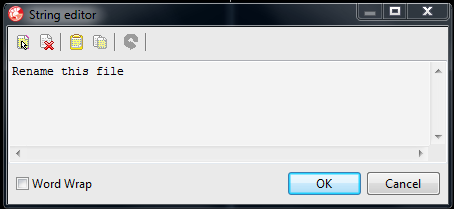
Here is a 3rd party text property editor for Delphi XE/Delphi XE2/Delphi XE3 that is way much better than the default one. It can help you to edit text and TCaption fields.

Features:
  • It allows you to enter multi-line strings via the object inspector. Such strings can only be assigned at run-time.
  • Allows you to enter very long strings
It adds an ellipsis button to the right hand side of the data entry area in the object inspector that displays a dialog box in which the property's value can be entered. 
F2 or Ctrl+Enter causes the entered text to be assigned to the property.
There are shortcuts that allows you to
  • Select all the text in the editor.
  • Clear all the text from the editor.
  • Overwrite the editor's existing text with text from the clipboard.
  • Copy all the text from the editor to the clipboard.
  • Undo the last edit.


You can download it from here
Original author: Peter Johnson


Related article: How difficult is to write a solid software protection (licensing) scheme?


Wednesday, March 13, 2013

How to prevent Delphi from generating bpl, identcache and local files

Delphi generates a series of annoying and useless files such as *.bpl, *.identcache and *.local. They are totally useless and safe to delete.

Few people know that Delphi Distiller is capable to disable the generation of these files. This is because the panel from where you do this is hidden under an obscure menu called 'Extras'. Just download Delphi Distiller and see for yourself. 


Piece of cake. Right?
_

Yest another useful features is 'Don't load .Net crap'.


Tuesday, March 12, 2013

The ultimate guide to rechargeable batteries

So, you want to buy some rechargeable batteries and you don't know which is the best? 
Here is a list of rechargeable batteries you can  find on Amazon.es sorted .....drum roll please..... by Euro per Amper.

For day by day use I recommend you batteries of at least 3000mAh. Therefore, batteries show in gray are of low power (below 4000mAh) so I will totally ignore them.

In the end I choose Ansman because it seems to be a German company. 


(Here is the link to the table: batteries)

The table contains only C and D size rechargeable batteries. 
I provided you also with the link to the Amazon page so you can check each item. 


Also you may want to see this article about Battery chargers

Energizer Universal Charger


Today I got an Energizer Universal Charger. Simply it sucks. I though Energizer is a big/good company. Wrong! 
This design of this device is simply shitty. Why? Because I can only charge 2 or 4 batteries at once. If I want to change 3 batteries (and this is what I want to do) I can't.

I have a set of 4 batteries and a toy that uses only 3 batteries. Every time the batteries are depleted and I want to recharge them I have to recharge (or more accurately to OVERCHARGE) and the unused battery.

Also I have notice that in the box there is basically no manual.

If you only want to charge batteries in pairs of 2, this device is ok. If you are in need of flexible/professional battery recharger, go look for something else.

Monday, March 11, 2013

More nasty bugs related to Delphi packages

The problem
 
My Delphi XE started to act strange lately. I have unit Unit2.pas that uses 'FormatBytes' declared in Unit1.pas. When I try to compile Unit2 Delphi says that it cannot find FormatBytes. But FormatBytes is there, in Unit1 !!

Unit1 belongs to Package1 and Unit2 to Package2 (Package2 depends on Package1).

Even more strange: if I delete Unit1 (pas and dcu) Delphi doesn't complain that it cannot find the unit! Its like Unit1 has been cached somewhere. However, if I try to open Unit1, obviously it cannot be found and Delphi popups a OpenDialog to let me show there Unit1 is located.

I know there is already a bug in the caching system for VCL. I guess this is a similar bug.


Update

Solution: I deleted all files related to all my packages:
  • DCP
  • BPL
  • DCU
  • DSK
  • DPROJ
  • paths from 'Library'
Then I rebuilt everything. Now everything compiles smoothly without warnings and errors. 
(Note: Initially I tried deleting files specified above except  Dproj and paths and it didn't worked)

Tuesday, January 15, 2013

Fix conflict between Yahoo messenger and Kaspersky KIS

After installing KIS 2013 I have seen that the Video Call and Voice Call buttons are disabled in Yahoo Messenger, while the chat was still working.

This is the fix: In KIS go to:

1 settings
2 advanced settings,network, monitored ports
3 monitor all ports for specified applications

There you search for yahoo messenger and uncheck the check box.


Related article: How difficult is to write a solid software protection (licensing) scheme?


Tuesday, January 8, 2013

Google Drive still unreliable (How to fix 'Primary key must be unique' error)

I hate Google Drive. It is haunted by too many bugs. 

Recently my GDrive application started showing a "primary key must be unique" error message, asking me to disconnect the drive and start all over again. I did that. Took few hours to resynchronize it all. But the next day I got the same error and asked me again to repeat the operation. I have been poking the forums (including Google's forum) up and down for months and found no real solution. So I had to do the job on my own. This is how to fix the "primary key must be unique" error:


  1. Start Google Drive
  2. Hold the SHIFT key pressed while clicking the Google Drive systray icon. This will show the 'Enable diagnostic mode' special menu.
  3. Click 'Enable diagnostic mode' menu.
  4. Wait until Google Drive crashes and shows the "primary key must be unique"error message. Let the application shutdown.
  5. Go to "c:\Users\YOUR_USER_NAME\AppData\Local\Google\Drive" folder and open "sync_log.log".
    Note: Replace 'YOUR_USER_NAME' with your Windows account name (the account in which you are logged in). You can see this name when you press the 'Start' button.
  6. Look up this text: "Detected conflict while trying to download file to".
  7. After 'to' follows the name of the file that generated the conflict. Locate that file and delete it or (better) rename it. Do this for all conflicted files (if there are more than one).
  8. Restart Google Drive.
    That's it.
This technique can be used to debug other Google Drive errors also.


Update 1 - How to do it on Mac OS (thanks to Maik):

Thanks, this fix also works for Apple Mac OS-X.
To get to the log file:
- in finder click the Go menu
- with the menu open click ALT-key so the hidden Library item appears
- open the Library and go to folder Google -> Drive


Update 2 - More GDrive bugs: The trash cannot be purged

Now my Google Drive account shows that is 95% full even if I don't have many files loaded in GDrive (I have a total of 1.1GB). After investigation I have discovered that are files locked in the 'Trash' that cannot be deleted. I contacted Google Drive support and they said they will fix my account. The provided additional Google Drive space so I can keep using my GDrive until they will fix the problem. That was in February 2012. Still no word from them.


Update 3 - How to make GDrive synchronize faster?


Related
How to improve the Google Drive synchronize speed?

_______________


With this occasion I want to thanks Google team for the fucking 'good' job they did and to tell them: I don't believe in witches, but they surely exist. 


Monday, December 24, 2012

How to configure port forwarding for DC++

For a Comtrend WAP-5813n router do this:

Enter this into your browser address bar: http://192.168.1.1
Enter user and password. Default should be '1234' (both for user and psw) or 'user'.
Go to Advanced setup -> NAT
You will see this text:

NAT -- Virtual Servers Setup

Virtual Server allows you to direct incoming traffic from WAN side (identified by Protocol and External port) to the Internal server with private IP address on the LAN side. The Internal port is required only if the external port needs to be converted to a different port number used by the server on the LAN side. A maximum 32 entries can be configured.


Press 'Add' and enter the following data:


  • Use Interface: eth0.3
  • Service name (custom): DC++
  • Server IP Address: 192.168.1.xx (where xx is you computer's internal IP address. Type 'IPCONFIG' in a DOS box to find out your IP).
  • External port start: 7777
  • External port end: 7777 
  • Protocol: TCP/UDP


Do all this stuff one more time for the 9999 port.
Now you can apply/save the settings.

In DC++ enter the 7777 port in the 'Transfer port' field and 9999 in the 'Search port' field. Activate the 'Active mode (I have configured my router)' option.

Note: There is a better option: in your router config panel, go to 'Advanced -> UPnp' and check the 'Enable or disable Upnp protocol' box. This will allow DC++ to directly interact with your router and configure it.

Enjoy.
__________________________________________________________


Thursday, December 20, 2012

Putting the computer in energy-saving mode is evil?

On Toshiba support forum a kid name Bob sustains that two Toshiba tech guys sais to him that is dangerous to keep your computer in stand-by/hibernate mode. So he would like to start his computer faster but without using the stand-by/hibernate mode:
> The holy grail for me would be to use sleep mode 100% but I'm worried that would be too much extra wear and tear on the machine (energy consumption is not a factor). Opinions please.

So, here is my answer to that kid:
Bob is time for you to learn some stuff about computers. Go buy a good book instead of listening to Toshiba support tech.
First of all if you really care about your computer you should care about ENERGY CONSUMPTION! Decrease the energy consumption to half and you will expand the life of your computer with few years! How? Simple. Keep your processor to 100% utilization and it will start to overheat so badly that your mainboard will turn brownish. Probably I should post some pictures from my old Toshiba laptop (though this is true for all laptops) to see how the heat affected the main board. The next to fail is the coolers because they will start to work at maximum speed in order to remove the heat from your laptop. Also, don't care about power saving and keep your hard drive always on and if possible, working (transferring data). The heat literally kills the hard drive! The tubes that are illuminating the screen have also a limited life. Keep the laptop on overnight and I guaranty that you will get a "nice" milky/dark image in only one year.
If you have a powerful graphic card just don't use the utility provided and keep it at maximum power all the time (even if you don't play games) and if will suck A LOT of power which of course will generate even more heat.
All these power sucking devices will drain a lot of power from your power adapter which will also start to overheat and when you are mobile they will empty your battery in 50 minutes instead of 2-3 hours. The more discharge/charge cycles you put on your battery the sooner it will die.

So, all this was the receipt for killing your laptop by not carrying about power consumption. Now, if you make your computer to live long (and prosper) all you have to do is to choose a power saving profile in control panel. Just few clicks and you have hundreds of dollars on energy and hundreds of dollar on hardware (you won't have to buy a new laptop next year).

Toshiba, Energy Star program, Microsoft are struggling to make computers to consume less energy for a reason. IF you think you are better than them you should write a book on how bad is to have a eco-friendly computer.

If two Toshiba guys said that conserving power (by keeping the computer in standby/hibernate) is bad (which I doubt) it was just a mistake. Some other people here are saying the other way. Actually my Toshiba laptop has a green button which puts the laptop in eco-friendly mode where the hibernate and stand-by modes are active. In hibernate mode the computer is 100% switched off. In stand-by mode only the RAM is receiving power. However, the RAM does not wear and tear and the power consumption is so small that almost doesn't count.

The thing about 'unlimited' web hosting

So, iPage hosting tricked me into buying a full year contract. They said that they will provide unlimited hosting. But that's a BIG lie. Here are the actual limits:

Email inbox: 200MB (additional space can be purchased for extra $10 per month)
Email attachments: 5MB
Email attachments note: you cannot send EXE (applications) files. 
FTP upload speed: capped at 25KB/sec 


PHP limits:
post_max_size = 2M
max_execution_time = 90     ; Maximum execution time of each script, in seconds
max_input_time = 40 ; Maximum amount of time each script may spend parsing request data
memory_limit = 12M      ; Maximum amount of memory a script may consume (8MB)


Important secret: There is an undocumented feature that allows you to change those limits if you go here: iPage  Customer Login (takes you to control panel…)>Control Panel>>Scripting and Add-Ons>>CGI and Scripted Language Support>>PHP Scripting


Disk space: 
They say its unlimited but the contract says its not. Read this carefully: "we do require all customers to be fully compliant with our Terms of Service and utilize disk space and bandwidth in the normal operation of a personal or small business website".
And then they say this: 
"What happens if I exceed "normal" usage?
If we have concerns about your account's bandwidth or disk space utilization, you will receive an email asking you to reduce usage. Generally, we provide customers with a minimum of 48 hours to make adjustments before taking the account offline."


So, if you go over 200-400MB of disk space they will suspend your account. Of course your money will not be refunded since you broke the contract.

____________________

Before buying from iPage read that damn contract entirely!!!!

iPage hosting support is a nightmare!


iPage support is a nightmare!


A part of my site (a script) was down for few days. I contacted the support. I told them that the page is down at random intervals. They loaded the page in their browser once and concluded there is no problem. Those guys from iPage support are too busy playing Solitaire so they pretend my site is ok.

By the way. Don't bother to use the chat support. They are as useless as posting a support ticket. I think there is a single guy at support that answer the telephones, the chat and the tickets:
___________________

Please hold for the next available operator to respond.
Chat Information: You are now chatting with 'iPage hosting'
iPage hosting: Hi, how are you today?
Me: hi
Me: I am doing really bad
iPage hosting: How can I help you today?
Me: I am so pissed of with your support
Me: I have a problem with my site.
Me: I need to get in touch with the tech support now
Me: because the site is not working now. I left a ticket and they checked but probably was at the moment when the server was working
iPage hosting: Thank you for the authentication.
Me: so. can you help me to reproduce the error??
iPage hosting: I will place the ticket #104xxxx
iPage hosting: One of our specialists will contact you as soon as possible.
Me: wow. totally useles.
Me: thanks a lot ipage
iPage hosting: You're welcome!
iPage hosting: Is there anything else I can assist you with today?
Me: yes
Me: how soon it will be that?
Me: do you have a realistic time table?
Me: hello?
iPage hosting: It will take couple of hours.
Me: its too long. the site was not working already for days.
iPage hosting: Okay.
Me: at least can you help me to reproduce the error?
iPage hosting: I will ask them to check soon.
Me: I need to convince those monkeys from support that the problem is real
iPage hosting: Me, the technical specialists will check it.
Me: I sent a screenshot but probably they think is fake
Me: or something
Me: otherwise I don;t know why they believe me I have problems
Me: can you refresh this page several times?
Me: I send you the link
Me: damn it... not it is working..... can you hold on few minutes and try again?
Me: now
Me: now
Me: now
Me: !
Me: now its not working
Me: !!!!!!!!!!!!!!!!!!!!
Me: hey!
Me: are you there?
Me: can you refres it now???????
Me: are you still there?
iPage hosting: (aster a too loooong delay)  Yes.
Me: do you see this?
Me: The connection was reset The connection to the server was reset while the page was loading. The site could be temporarily unavailable or too busy. Try again in a few moments. If you are unable to load any pages, check your computer's network connection. If your computer or network is protected by a firewall or proxy, make sure that Firefox is permitted to access the Web.
iPage hosting: the site is working fine here.
Me: ok. If I send you a movie it will be a proof good enough?
Me: or your support will keep saying "we don't care. its working on our side" ?
iPage hosting: I will ask the technical specialists to check from server side.
Me: ok. before you go, can you refresh the page several times more?
Me: another question is: how do I apply for a refund? I mean, if I move my web site.
Me: I think I have to go back to my old host
iPage hosting: I can see that it works after refresh also.
Me: I asked you something else. Do you have a didicated email address where I can ask for a refund?
iPage hosting: support@ipage-inc.com
iPage hosting: Is there anything else I can assist you with today?
Me: no, not really. you didn't helped anyway.

http://www.hostin15.com/images/page-2.jpg

Thursday, November 29, 2012

Webshots is dead. Smile!

So Webshots closed their little wallpaper changer software and replaced it with Smile. The Webshots users are very disillusioned because they were left with thousands of images/wallpapers encoded in WB1 format.

But don't worry! I have found a nice (actually a much much much nicer) replacement. It is called BioniX Wallpaper Changer. BioniX is the ultimate wallpaper manager. Recently they added support for WB1 files.

There is a Lite version that is free. It has few minor limitations compared with the Ultimate edition but the WB1 support is not affected.


Bad antivirus! Bad! Bad! (Comodo) [includes DNS fix]

So,  few days ago I had nothing better to do so I uninstalled my old antivirus and 'upgraded' to Comodo Antivirus. Boy! That was such a bad idea!

This is why:
First at all, Comodo pretends their antivirus is freeware but it isn't. Its bloated adware. Lots of pop-us and reminders that you should be ashamed that you are using the free version and that you need to upgrade soon! But this is nothing! They will replace your DNS providers with theirs and you will see their ads when you do searched in Firefox URL box. You will see this a page with comodo ads like this:


And once more, this is not all:


* The Comodo antivirus program is rudimentary and shows LOTS of fake positives!

* They will install a new browser (Dragon) and replace firefox with it.
* They will install spyware software (GeekBudy) and ads in your computer. GeekBudy will stay connected to internet all the time!
* The uninstaller will not uninstall the adware but only Comodo.
* There is no support to help you manually remove the leftovers from your computer. There is a support via chat but they will help you ONLY if you buy a license there, on spot! So you have to pay money only to be able to remove the program from your computer!!!

The conclusion is that Comodo Antivirus is worst antivirus that I EVER had installed in my computer. I am still trying to figure out how to uninstall all garbage they left in my computer and especially how the hell they took over my DNS.


I will post more info once I find out how to uninstall they DNS demon. 
___________

Update

Default How disable comodo firewall DNS servers? (The solution)

I have tried to get support from Comodo but there is no such thing as 'support' there. So, I had to do it by my own.After poking around a bit I have realize that Comodo changed my network adapter DNS settings.


Click 'Properties' to get his window:


Here, open the Internet Protocol v4 and put the DNS settings back to automatically:
 
Lesson learned? Don't you ever install evil software (Comodo) that pretends to be good (antivirus) software.


Horrible product"
November 29, 2012  |   By newfedra
Version: Comodo Antivirus 5.9
Pros
None. They pretend that it is freeware but it isn't. Its adware.
They will replace your DNS providers with theirs and you will see their ads when you do searched in Firefox.
Cons
* They will install a new browser (dragon) and replace firefox with it.
* The program is rudimentary and shows LOTS of fake positives!
* They will install spyware (like GeekBudy) and ads in your computer
* The uninstaller will not uninstall the adware only comodo.
* There is no support to help you manually remove the leftovers from your computer. There is a support via chat but they will help you ONLY if you buy a license there, on spot! So you have to pay money only to be able to remove the program from your computer!!!
Summary
Worst antivirus that I EVER had installed in my computer in the last 17 years!


Read more: Comodo Antivirus - CNET Download.com http://download.cnet.com/Comodo-Antivirus/3000-2239_4-75181385.html#userreview#ixzz2DdPXiOTf
Horrible product"
November 29, 2012  |   By newfedra
Version: Comodo Antivirus 5.9
Pros
None. They pretend that it is freeware but it isn't. Its adware.
They will replace your DNS providers with theirs and you will see their ads when you do searched in Firefox.
Cons
* They will install a new browser (dragon) and replace firefox with it.
* The program is rudimentary and shows LOTS of fake positives!
* They will install spyware (like GeekBudy) and ads in your computer
* The uninstaller will not uninstall the adware only comodo.
* There is no support to help you manually remove the leftovers from your computer. There is a support via chat but they will help you ONLY if you buy a license there, on spot! So you have to pay money only to be able to remove the program from your computer!!!
Summary
Worst antivirus that I EVER had installed in my computer in the last 17 years!


Read more: Comodo Antivirus - CNET Download.com http://download.cnet.com/Comodo-Antivirus/3000-2239_4-75181385.html#userreview#ixzz2DdPXiOTf